November 16, 2026
・
8
mins read

Approving a supplier rarely ends with the decision. Someone still has to tell the business owner, brief the CISO, and leave something on file that an auditor can find a year from now.
That usually means copying the compliance score, open risks, non-compliances, notes and the final call into an email or document by hand, for every review. It takes time, it varies from reviewer to reviewer, and it is out of date as soon as the supplier changes an answer.
Review Reports do that work for you. They're built for the security and third-party risk teams who run supplier reviews, and for the people those teams answer to: approvers, business owners, senior leaders and auditors.
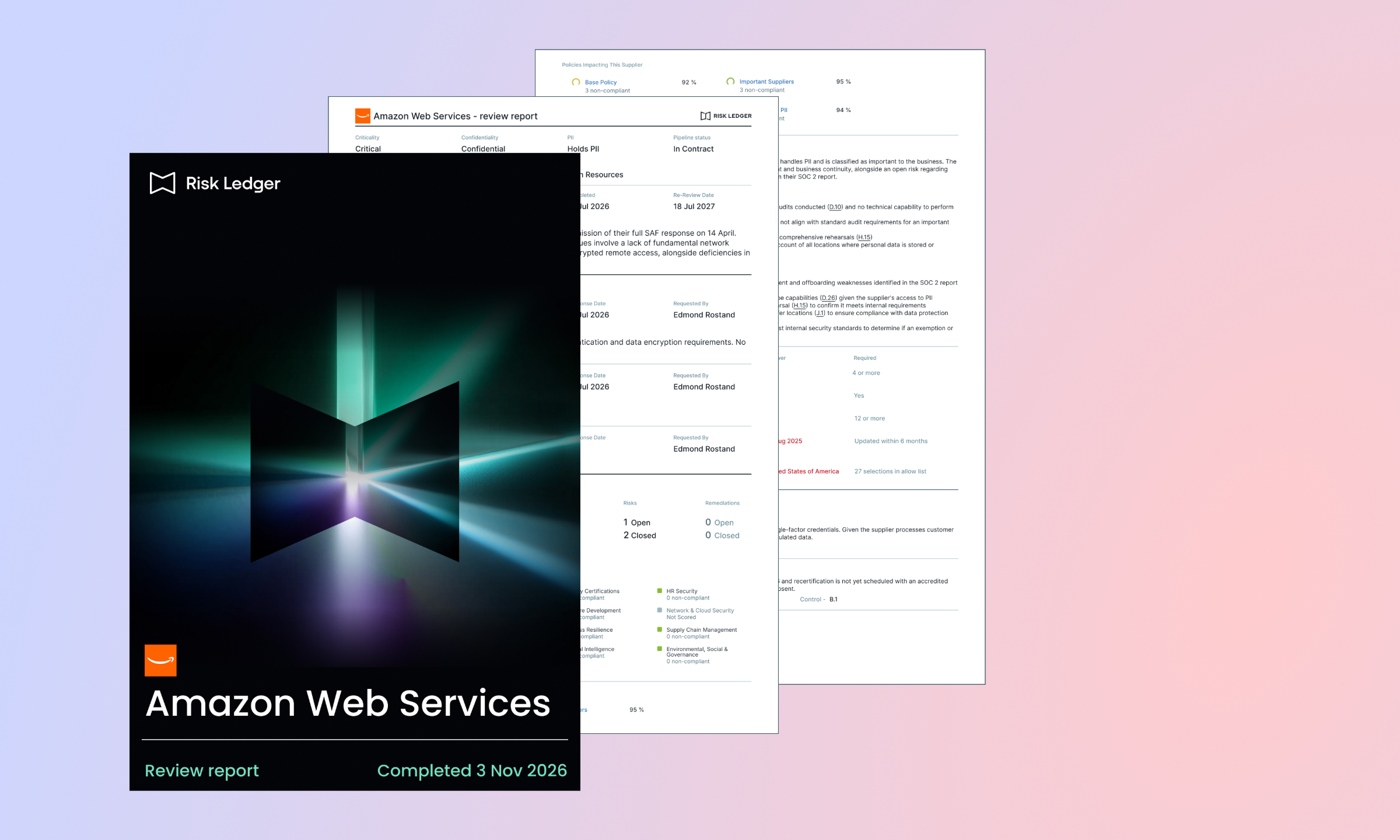
When you complete a supplier review, Risk Ledger creates a PDF record of the review and of the supplier's data at that moment. Nothing to assemble, nothing to export.
The report is ready to download from the completed review in the review drawer within seconds. Download it as often as you need, for as long as the review exists. Anyone can read it, with or without a Risk Ledger login.
It is a fixed snapshot. Once the review is complete, the report doesn't change, even if the supplier later updates their answers. A report from March shows March.
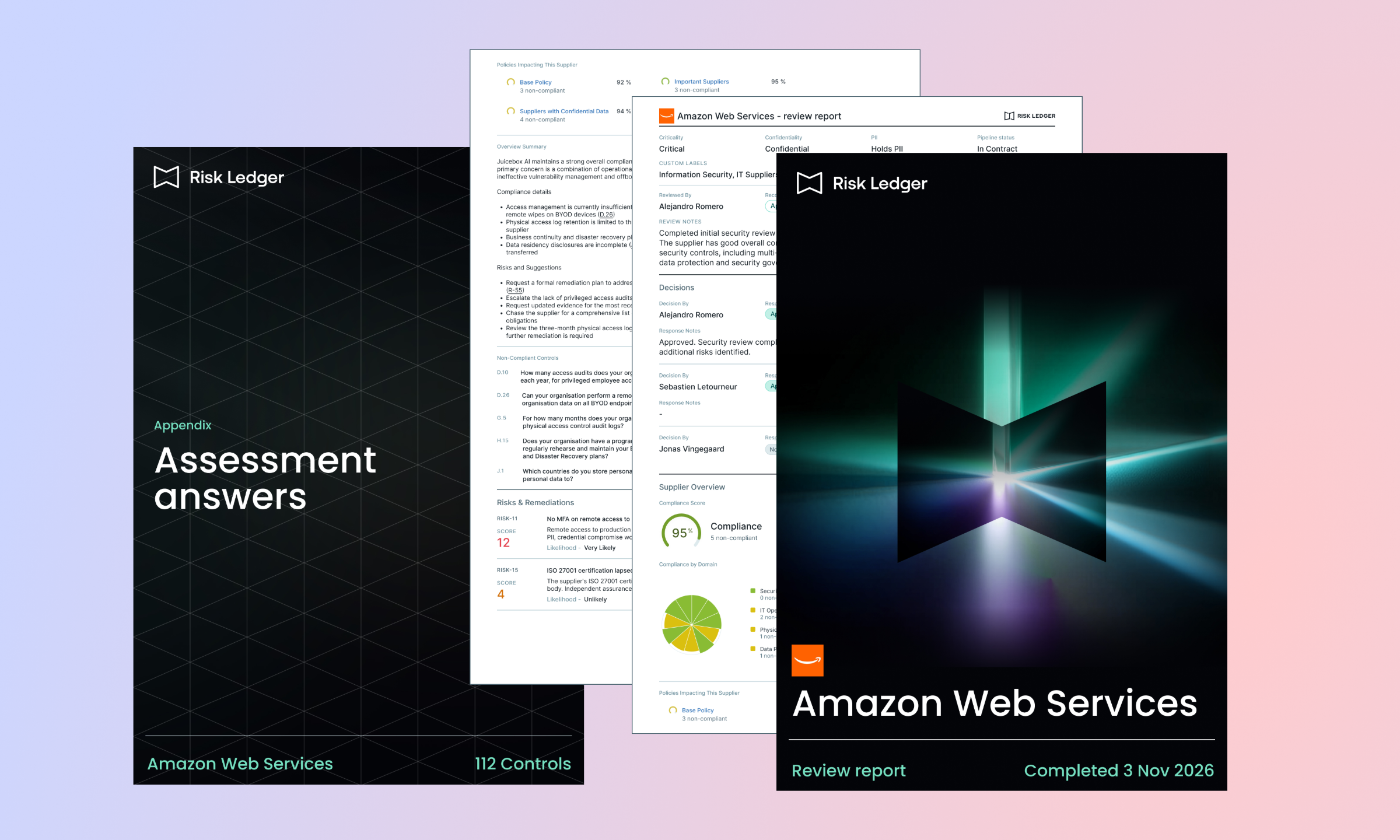
Every report follows the same structure, so readers always know where to look.
Your supplier's name runs on every page, and the report is produced as PDF/A, the standard for long-term archiving, so it is built to read the same in five years as it does today.
Approvers get the evidence, not just the ask: business owners, procurement and senior approvers rarely work in Risk Ledger. Some teams ran approvals over email purely to attach the context. Now the approver gets the recommendation, the evidence and the audit trail in one document, and the parallel email process can go.
Senior readers get the picture without the full profile: CIOs, CISOs and CROs rarely need every control. The overview and optional executive summary give them the shape of the decision, and the detail is there for anyone who needs to check it.
Every approval leaves its own record: approval status gets reapplied to the same supplier over time. Each completed review now produces its own dated report naming the reviewer, every decision maker and their outcome. It is fixed at the moment of completion and can't be edited, so it stands as a record of what was known and decided at the time.
The record outlasts the relationship: when a supplier removed a connection, you could lose the score, notes and approval status. Review Reports stay downloadable after the connection is removed, so there is no need to export everything just in case.
Existing customers: complete a supplier review as usual, then open it in the review drawer to download the report. For more detail, read the help article or speak to your Customer Success Manager.
New to Risk Ledger? Book a demo to see how supplier reviews, approvals and Review Reports fit together.



Monthly research, case studies and practical guides you won't find anywhere else.
Join thousands of security managers turning their TPRM programmes into success stories.